Right. Enough about other games, let's get back to the RTS. The construction
pipeline was almost complete when I left it. So this week I sat back down to
re-orient myself around the code, and finish up some of the rough edges.
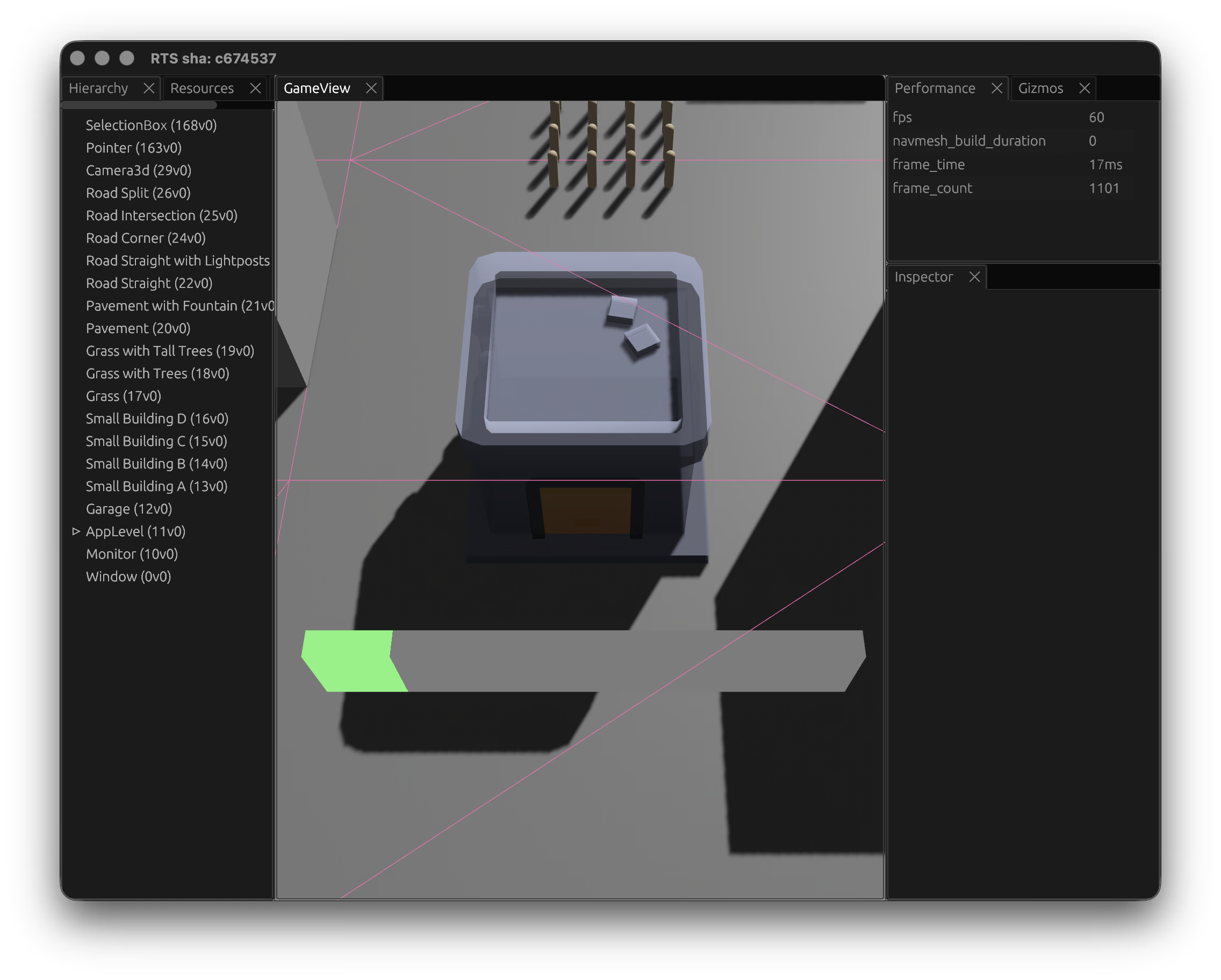
Mostly small refinements, but a few new features. I added building demolition.
Select a building or construction site, hit Delete, and it begins tearing down.
This was tricky, as buildings can be demolished mid build, so Workers need
immediately released and set back to idle. The navmesh obstacle also gets
removed so units can path through the space again. The structure transitions to
a DemolishedSite -- rubble with a configurable timer. When the timer expires,
the rubble despawns. Definitions can also specify a demolition_refund -- a
map of resources returned to the player.
Not the most interesting development, but hopefully I'll have something more
interesting now this system is more refined.
Exploring new game ideas
This week saw a new game shipped - CSS or BS on April 1st - a quiz where
you're shown a CSS property name and have to decide if it's real or made up. It
felt like a good April Fools' gag but it turns out CSS is weird enough that it's
genuinely hard. This has been in the works for around a month, while building
out HTMLGameKit. I really tried to focus on "juice" for this one.
With a few games shipped now I've been sketching out what to explore next. I
have a bunch of ideas pulling in very different directions.
I'm trying to explore various mechanics, to see what can fit. One direction I've
been exploring is some kind of meta-game. Can the community become part of the
game itself, not just a leaderboard bolted on at the end? I've been sketching
something where the creative act of playing is as important as the logical one.
I've also had a post on the back-burner for probably 6 months, writing a
performance in csskit. This has lead to another game idea to make the post
more engaging. A bit like What's My JND - this takes a core concept from the
post and turns it into a puzzle game. Pedagogy seems to be good inspiration for
games: "how can we make this concept more intuitive to learn". Looking at games
like Satisfactory, Factorio, and co, where they take logical concepts and apply
them in abstract is a super interesting direction to explore. It's satisfying
when you find an elegant and engaging solution to explain a problem. There's a
whole category of puzzle games hiding in the things we take for granted about
how computers work.
I'm also exploring a completely different direction: narrative games. People
seem to have enjoyed the sarcastic or even satirical humour in my prior games,
and maybe this is "my voice". I'm trying to lean into this for a third game
idea, where I've been thinking about what a text-driven game looks like in 2026.
I'm having a lot of fun with it. It's closer to interactive fiction than
anything I've built before. I've been sharing early demos with friends and
getting a kick from their reactions.
I've also been exploring audio a lot more. Learning about the web platform's
AudioContext APIs and trying to slowly incorporate a bit more audio juice in my
games. But I've also been wondering what a game looks like if you strip away the
visual layer almost entirely and lean hard into sound -- not as accompaniment
but as the primary interface. Designing for the ear rather than the eye is a
constraint I find genuinely exciting, even if I'm not sure yet what that looks
like. I've made some very early prototypes, but they're not great.
Not all of these will get built. But having a pipeline of ideas with very
different shapes means I can pick whatever fits my energy on a given week. The
RTS is still in the back of my mind. I want to come back to it with some renewed
energ. But for now, the rhythm of smaller games feels right. The web is just
such a great platform for experimentation, it's so easy to share something by
handing someone a URL, and watching the fun people have with these if filling me
with joy.
Minigames & HTMLGameKit
Last week I talked about stepping back to ship smaller games. While I will
absolutely be continuing to develop an RTS, I think building small simple games
will be a regular focus, also. This is for a couple of reasons:
Firstly, I love shipping stuff. Getting lost in work for months on end can be
draining, and disorienting. Shipping something tight, getting feedback, and
iterating can be very appealing. Having a venue to take concepts or ideas and
explore them in a constrained way can help refine them for a bigger platform.
Getting stuff in the hands of players is always a fantastic lesson that can
feed back into the larger, longer projects.
For example, working on What's My JND pushed me into lots of research.
Learning about Psychophysics, difficulty curves, and building a staircase
difficulty algorithm to "find" the point of difficulty for the player. Something
that stuck with me ever since playing games like Left4Dead is the concept of a
difficulty director and how the game would try to maintain a continued pace
for the player, by choosing to spawn enemies or ammo depending on how well the
player was doing. Games that adapt to how you play fascinate me, and having a
cheap way to prototype that seems useful.
Secondly, and naturally flowing from that, is I want a place to experiment,
prototype. Bevy is wonderful and I enjoy building the RTS but it's also a
learning curve. I want to get to the point where I can build a simple game in a
couple of evenings, to test out a concept easily, then take those concepts
into the RTS.
So with that, I've built a mini framework: HTMLGameKit - a Web Components game
engine for building browser games declaratively in HTML. The idea is that simple
games should need zero custom JavaScript. You compose a game out of custom
elements: a <game-shell> manages the state machine (intro, playing, between
rounds, results), <game-timer> handles countdowns, <game-quiz> handles
multiple-choice, and so on. Events bubble up from game components, signals flow
down from the shell. No build step -- pure ES modules.
HTMLGameKit has a few progression strategies built in: fixed rounds, adaptive
staircase (which ramps difficulty based on pass/fail streaks), and tiered
difficulty with promotion and demotion. This is the kind of work I want to
easily prototype out here in the framework, then bring back to the RTS as a more
fully fleshed out concept.
I've built out a games page, showcasing the handful of games built so far:
What's My JND and its hard mode from a couple of weeks back, Hue Shift
-- another colour-matching game -- and a couple of older word games built during
the "Wordle" craze: Cyphle (Wordle but with substitution cyphers) and
Neardle (Wordle but with Hamming distance). They're all small, all free, all
web-based. I've got some more in the pipeline, too.
The RTS isn't slowing down. But having a space to ship small self-contained
games to explore mechanics feels right. Each one is a chance to explore a single
mechanic or idea in isolation -- difficulty curves, input design, scoring
feedback -- and carry those lessons back into the larger project.
Rabbit holes & refocusing
Ugh, over five weeks since the last update. Not for lack of thinking about it.
Just no progress on the RTS.
After getting the trait and buff systems in, I started thinking about how the
map or level system might scale out. Given an RTS relies on maps, a map editor
felt needed. The game needed proper authored levels, and placing things in RON
files wasn't going to scale. So I went looking at how other games solve this.
First stop was Hammer and TrenchBroom -- the Quake/Source-lineage editors.
They're great at what they do, but they're built around brush-based BSP
geometry, which isn't really what an RTS needs. I looked at how they handle
entity placement and terrain, but the mapping from "place brushes in 3D" to
"place buildings and units on a navmesh" didn't feel right. Having said that the
community around these editors is astounding. bevy_trenchbroom seemed like an
interesting library to explore more, but not for this project.
From there I looked at other engines. Godot's editor is impressive and its
scene system is flexible. Unity's tooling is polished also. I looked through
demos and tutorials, and toyed with the idea of building out a map editor within
my game, but quickly realised this was a gigantic undertaking. I spent a while
thinking about whether you could build a level editor as a Blender plugin,
exporting scenes to RON or glTF, since Blender's already good at placing
objects in 3D space.
Then I found skein, which might just fit the bill. It lets you edit Bevy
scenes directly in Blender, round-tripping data between the two. It was early
but it felt closer to the right shape of solution. With Blender installed I
started working through various tutorials to get more comfortable before
committing to a pipeline.
But I also took this time to step back a little. I'd been building systems -
traits, buffs, construction, animations, pathfinding - without ever finishing a
playable thing. I needed to land a simple game to scratch that itch. Aside
from building games I also spent a lot of time in the world of CSS. As part of
this I wrote a long post about CSS colour precision, and decided to take a
break from the RTS and refocus on smaller, shippable games. I needed something
for readers of "Too Much Color" to viscerally feel the difference, the
interactive demos in the post were interesting but I wanted something more fun,
so I iterated on a prototype game.
The first iteration was more interactive: two different colours, side-by-side,
drag one colour to match the other. It didn't quite hit the mark, which taught
me a valuable lesson: iterating on something playable as early as possible can
help establish if the core gameplay loop is actually right. What I ended up with
was something more subtle: What's My JND -- two adjacent colours in a sharp
gradient, where the goal is to click the transition point. Over a pint with my
colleague Jake, he suggested 9 colours where 1 is different could be a good
gameplay mode, so that evening I iterated on a hard mode variant that removes
the gradient crutch. These were fun to build, satisfying to ship, and a good
reminder of what "done" feels like.
The original game has received over 4 million hits in 2 weeks, hit the
hackernews front-page, made it onto Tom Scott's newsletter, and had some
copycats, which all feels like as good a metric of success as any.
The RTS isn't abandoned. But I want to come back to it with better instincts
about scoping and finishing, and maybe a clearer picture of what the minimum
playable version actually looks like.
Traits, buffs, & leveling
This week's focus was around construction workers. Previously construction
sites just ticked progress on their own. Now they track which units are actually
working on them via a ConstructionWorkers component, with a
ConstructionThroughput model that accounts for diminishing returns as more
workers are added. It uses an exponential saturation curve -- one worker always
gives 1.0x throughput, but adding more yields diminishing marginal gains based
on a configurable coordination_drag parameter. Workers are detected by
proximity once they've arrived (no Path component + within range), and are
automatically released when the site completes.
This actually became part of a larger system, which includes all kinds of
traits that units can have, expressed via their definition. For example, up
until now, units had a hardcoded speed field and a can_construct_sites
boolean -- fine for getting things moving, but not a foundation that would scale
in interesting ways, so I replaced it with something more flexible: a
D&D-inspired trait and buff system.
As its core is a TraitKind enum -- Movement, Construction, Attack,
Defense, Perception -- with each kind backed by a TraitValue that tracks a
base value, buff total, level bonus, and a computed effective value. Each trait
gets its own Bevy component with a matching name - generated via a macro.
Trait definitions are loaded from a definitions.ron file that controls
per-trait behavior, things like stacking rules (additive vs highest-only), RNG
ranges for checks (0 for deterministic, 20 for a d20-style roll), and buff
clamping. For example, Attack uses HighestOnly stacking with a d20 check,
while Movement uses Additive stacking and is deterministic:
// Definition for the "Attack" trait
(
kind: Attack,
name: "Attack",
rng_range: 20,
default_dc: Some(10),
stacking: HighestOnly,
max_buff: Some(30),
),
Traits also buff. Each Unit can have many Buff components. Each Buff
component carries an id, a trait kind, a value, and metadata about its type
(permanent, temporary with a duration, or proximity-based) and source. All
buffs get collected up into the matching trait, which computes the effective
value, with all the stacking rules and logic and such. Practically this means
units can have a base Attack of, say, 10, but effects in game (garrisoning,
proximity to allies) can temporarily bump that by 5, whereas the units level
might permanently raise it to 20.
Ah, yes, leveling. Units can also have a LevelConfig component with XP
thresholds and per-level trait bonuses, plus XpRules that define how XP is
earned -- the Builder unit for example earns Construction XP while actively
constructing:
This is all conceptually a little vague but it feels like a good system to grow
into. Traits themselves are easy to add (a macro makes this as easy as
define_trait!(Movement)), but their curves are endlessly tweakable via
definition files, meaning no recompiles to balance units.
Unit animations
This week was spent getting animations working. The Quaternius model comes
with a set of named animations, but getting them to play correctly in Bevy
turned out to be trickier than expected.
I decided to load the full GLTF asset then hook up animation names to
definitions.ron, so e.g. a unit has idle: "Idle_Loop", moving: "Sprint_Loop"
so it was "just" a matter of running these.
The bigger challenge was timing. In Bevy, when you spawn a SceneRoot the
scene's children - including the AnimationPlayer - aren't available
immediately. They're spawned asynchronously. So any attempt to play an animation
right after spawning the unit would silently fail. So I implemented a two-phase
setup: first a NeedsAnimationSetup component waits for the GLTF to load and
builds the AnimationGraph, then a NeedsInitialAnimation marker waits for the
AnimationPlayer to appear in the entity's children before kicking off the idle
animation:
With animations sorted, I moved on to unit movement. Units need to rotate toward
the direction of travel, so adding a simple slerp toward the movement
direction handles this nicely, interpolating smoothly so the units don't snap
instantly:
if distance >0.01{let direction = toward.normalize();let target_rotation =Quat::from_rotation_y(direction.x.atan2(direction.z));
transform.rotation = transform.rotation.slerp(
target_rotation,(time.delta_secs()*10.0).min(1.0),);}
I also pulled the hardcoded movement out and into definitions.ron. Small
change that will be useful for different unit types.
The result is units that animate, face the direction they're moving, and
smoothly transition between idle and sprint:
Units & Buildings
With the new Kenney assets for buildings, these grey blocks and beige
capsules weren't really cutting it so I thought I'd replace the grey blocks in
the map with the same buildings, then I went on the hunt for a good placeholder
asset for units, and discovered Quaternius' fantastic
universal animation library. I thought I'd also take the opportunity to remove
the slew of hardcoded functions that create these units and map objects, and
actually build out a map definition which can then be used as the basis for...
well, maps.
I went into this thinking it would be straightforward but I ran into some
surprising difficulties. Taking a map.ron and loading it was fine, but then
came asset loading issues, because loading so many glbs at once caused visible
pop-in, as I hadn't handled any form of asset loading. So I introduced a new
asset loader based on Tainted Coders'Advanced Asset Techniques section.
This all worked really nicely and the code feels better for it; pulling the game
world from a Ron file rather than manually coding meshes.
The next issue was that path-finding broke, and selection broke. These were two
issues with the same root cause: while the building and unit entities used to be
simple meshes, they were now "SceneRoots", and the Aabb which was on the entity
was now on a child entity. For now I've fixed this by adding Aabbs to these
entities and adding a new system to compute their Aabb bounds from their child
Aabbs. I don't like this system but it'll do for now, and I'll come up with
something smarter, later on.
I'd hoped to have the time to tackle some unit movement animations but given the
time it took to get all of the asset systems built and path finding and
selection systems refactored, I didn't find time by the end of it all to tackle
animations.
All this to say, the net result doesn't look so different, the main visual
change is pulling in models rather than simple shapes:
Tweaking selection
I thought I'd dip more into shaders this week, and refine the somewhat clunky
selection indicators. I didn't like how for each unit two meshes were created:
one for the "over" (hover) state and one for the selected state. These two
circle meshes were likely simple enough but armed with my new shader knowledge I
thought I could simplify down to a single mesh that updated its material via a
fragment shader depending on state.
I also added some configuration options to the SelectionIndicatorMaterial to
allow customising of colours and borders:
This results in a much nicer single mesh material for all selection states:
Building Progress
This week I wanted to further the building system to add placement and
construction. This works by using the BuildingGhost; when a click occurs with
an active BuildingGhost then a new ConstructionSite is spawned in that
position. The ConstructionSite has a Bar component that shows the
progression - how long until the building is constructed - based on the
buildings construction time in definitions.ron.
The first iteration of the Bar was a Cuboid just to get the basics down:
This clearly needed improving. I want the progress bar to billboard. I found
bevy_mod_billboard which seemed just the ticket, however this was last updated
to support Bevy 0.14. I peeked at the code, and figured out the real magic was
within billboard.wgsl. So with that as a reference and a slew of other
resources and guides (1, 2, 3, 4, 5) I set to work building my own
(which I'll keep until maybe bevy gets it built-in at least).
The result is this bit of wgsl. The vertex shader re-orients the vertexes to
always face the camera, while the (very simple) fragment shader colours the
in-progress section. Fortunately not too much math as Bevy has some useful built
in functions:
@vertexfnvertex(vertex:Vertex)->VertexOutput{var out:VertexOutput;// Get entity world position (includes parent transform + local offset)let entity_world_pos =get_world_from_local(vertex.instance_index)[3].xyz;// Transform to clip spacelet clip_position =position_world_to_clip(entity_world_pos);// Scale based on depth for consistent screen sizelet scale =max(10.0, clip_position.w /40.0);// Billboard: add XY offset in clip space
out.position =vec4<f32>(
clip_position.x + scale * vertex.position.x,
clip_position.y + scale * vertex.position.y,0.0,// Near plane - renders on top of everything
clip_position.w
);
out.uv = vertex.uv;return out;}@fragmentfnfragment(in:VertexOutput)->@location(0)vec4<f32>{returnselect(
material.background_color,
material.color,
in.uv.x <= material.progress
);}
The result? A nice clean animated progress bar that faces the camera, no matter
the rotation or zoom:
Building System
This week I thought I'd get to work on a system for pick-and-place buildings. My
vision is to not end up with traditional RTS style pick-and-place, but for now
making what I'm familiar with and iterating sounded like a sensible approach.
I've gone with a Command & Conquer style pick-and-place, where players select a
building from a palette and get a "ghost" building they can lay down onto
a grid-snapped map.
However it's now 2026 and we don't need square tiles to show where the building
will be placed, and I didn't want to use more grey boxes - not just because
they're boring but I also need to look at how Bevy's asset loading systems work.
I took a peek at this city builder demo from Kenney who provides
wonderfully crafted assets sets. Pulling in some of the glbs, with some ron
through serde to pull in definitions and size, I built an asset loader that
loads all of the assets.
From there, I added a GridPosition struct that simply rounds world coordinates
to create a grid snapping effect, and a PlayerCursorMode state which tells the
engine if the user is able to select units, or if their building BuildingGhost
should be visible. The BuildingGhost simply follows the mouse position with a
ray:
letSome(mut cursor)= window.cursor_position()else{return};// Generate a ray from the active cameraletSome(ray)= cameras.iter().find_map(|(camera, transform)|{ifletSome(viewport)=&camera.viewport {
cursor -= camera.to_logical(viewport.physical_position).unwrap_or_default();}
camera.viewport_to_world(transform, cursor).ok()})else{return;};let t =-ray.origin.y / ray.direction.y;// Ray doesn't intersect plane (pointing away)if t <0.0{return;}let intersection = ray.origin + ray.direction * t;// Snap to gridlet grid_pos:GridPosition= intersection.into();let snapped_world_pos:Vec3= grid_pos.into();// Update all ghost transformsformut transform in ghosts.iter_mut(){
transform.translation = snapped_world_pos;}
The result is a ghost building perfectly following the cursor, but also snapping
to a 1x1 unit grid:
Hello again
That weekly update thing really slipped off. Around April I found myself
applying for, and accepting a new job, which has been very rewarding but very
challenging. I only had a few hours a week to work on personal projects, but
with on-ramping to a new job as well as maintaining existing projects, game dev
had to be put aside for a little while. However given it's a new year, and I'm
feeling more comfortable and confident at work, I'm trying to find my way back
to this.
So it sat, unloved, until late last year when I tried to pick this back up again
and update some dependencies, but I found that Polyanya and Vleue Navigator
needed updates, so I sent PRs to update those libraries. Polyanya just
needed some version bumps, and Vleue Navigator had a few more changes, but
luckily the Bevy migration guides make this quite straightforward. Waiting for
those to release distracted me enough that I didn't pick this back up again
until just now that I've finally updated this engine to Bevy 0.17.3. No new
screenshots or videos, but just the knowledge that we're back.
Path Finding.
This week I introduced a path finding system for units. Going in, I expected to
be searching for an A* path finding library, but I decided to first research the
options for state-of-the-art path finding systems for many units, which sent me
down a rabbit hole. The first stop was Flow Fields / Vector Fields. I couldn't
find an off-the-shelf library for flow fields in Bevy so in order to build
myself up to writing one I began looking for more applicable literature. I
landed on a fantastic devlog on building an RTS
which covered FlowFields in excellent detail, but exploring the rest of the
blog lead me to "Dynamic Navmesh with Constrained Delaunay Triangles". This
post goes into a lot of detail around solving performance of navmeshes within
unity, but my take-away was that it would be a more flexible solution, albeit
one that requires more computation. I tried to look further to see if more
recent research had more optimal solutions. Eventually I landed on a paper
titled "Fast optimal and bounded suboptimal Euclidean pathfinding" - maybe one
day I'll spring the $35 to pay for it so I can read it but - the excerpt alone
proved very useful, as it mentioned that it's an optimisation over the cited
"Polyanya" algorithm. This algorithm seems to be covered in the paper
"Compromise-free pathfinding on a navigation mesh". The top result for
"Polyanya" isn't the paper itself, but a rust library! It must be fate. Further
still, vleue/vleue_navigator seems to be a bevy implementation for generated
navmeshes and using polyanya to pathfind on them, so this felt like a sure
bet.
So with most of the week over, I set to integrating this library. I introduced a
Waypoint component which each Unit requires. Right clicking the mouse
ray-casts to find the Ground and hands the Vec3 hit to the Waypoint on all
selected units (using my PointerSelections component). Thanks to the
foundations laid in the last few weeks, it was very simple to get this
implemented. Waypoints represent "where the player wants the unit to be"
making it quite simple to get Vleue Navigator to connect the dots:
With the path being computed each time the Waypoint changes, it was then just
a case of moving any unit along its path... Except that Vleue Navigator's paths
are of course multi-point, to allow for navigating around obstacles. I didn't
have time to implement a way for units to navigate to subsequent points; when
they reach the end of the first point they stop. I think the best solution for
moving across multiple points is to pop the 0th point from the path vector every
time the entity moves on top of it, however that doesn't feel very robust, so
I'll be looking at this in more detail next week.
The other problem is that multiple units do not consider each other, selecting
multiple units and commanding them to one location means they end up stacking
over each other. This will also need some solution as it's far from desirable.
Perhaps one solution here is that the user clicking gives an indication of a
waypoint to set, but not the exact space the unit will move to. Or perhaps
implementing a Boids system is next on the agenda.
Developer Tooling.
This week I chose to work on some developer tooling to make it easier to
visualise and alter parts of the game during runtime. Motivated by last week's
work on the selection code, where I found myself in a tweak-recompile-try-repeat
loop. I think some interactive developer tools would provide much quicker
feedback loops, so it feels like getting this established now will pay dividends
later. I created a devtools feature flag to scope all of this too, took a deep
breath and set out to build the devtools crate...
Luckily this was way simpler than I imagined it would be, dropping in
bevy_inspector_egui coupled with egui_dock got me very close. Going back and
deriving Reflect on all my components was also a must. Beyond that I added a
couple of custom panes that I was kind of surprised didn't exist off-the-shelf
(at least that I could find). One of the custom panes shows the fps/frame count
using bevy's built in DiagnosticsStore. Quite simple:
let diagnostics =self.world.resource_mut::<DiagnosticsStore>();egui::Grid::new("performance").num_columns(2).spacing([40.0,4.0]).striped(true).show(ui,|ui|{for diagnostic in diagnostics.iter(){let value = diagnostic
.average().or_else(||
diagnostic.smoothed()).unwrap_or(0.);
ui.label(diagnostic.path().to_string());
ui.label(format!("{value:>.0}{suffix:}",
suffix = diagnostic.suffix
));
ui.end_row();}});
The other was a pane to enable & disable debug Gizmos. Bevy's Light & AABB
controls have built in Gizmos for debugging. Getting these working was quite
straightforward by using bevy's reflect module. Iterating over
GizmoConfigStore entries, this code tries to grab the draw_all field, to
turn it into a checkbox in the UI:
egui::Grid::new("gizmos").striped(true).show(ui,|ui|{letmut gizmos =self.world
.resource_mut::<GizmoConfigStore>();for(_, config, value)in gizmos.iter_mut(){let name = value
.reflect_short_type_path().to_owned();letReflectMut::Struct(value)= value
.reflect_mut()else{continue};letSome(enabled)= value
.field_mut("draw_all")else{continue};letSome(mut enabled)= enabled
.try_downcast_mut::<bool>()else{continue};
ui.checkbox(&mut enabled, name);
ui.end_row();}});
I find both of these implementations to be quite elegant in how generic they
are. I imagine I'll be able to trivially add new diagnostics to the
DiagnosticStore, while also it should be possible to implement draw_all as
a field in new Gizmos, should I need that (e.g. for path finding, which I aim
to tackle next).
The result of all this is that with the --features devtools enabled, the game
loads up with the inspector view which will make runtime debugging far easier:
Selection.
This week I worked on a selection engine for picking units to control. Most of
the work builds upon Bevy's picking engine, which has a built-in way of
managing cursor hover/click events by using ray-casts to find a mesh. The
picking engine, as I learned this week, used to be a third party module called
bevy_mod_picking, but it seems Bevy does a good job of upstreaming very
popular libraries.
One thing the picking engine doesn't handle is selection. This is handled by
bevy_mod_picking's bevy_picking_selection crate, but it looks like that wasn't
folded into Bevy's picking module (perhaps it will be later). This meant I had
to write something myself. I think my solution is a little more flexible than
the mod picking one - it takes Pointer<Down> and Pointer<Click> events
dispatching new Pointer<Select> and Pointer<Deselect> events. This system is
quite straightforward - anything clicked gets queued up for selection, and after
that system runs, another one replaces the current selection with the queued
one, and dispatches events. It even allows for multi-select. Coupling this with
a SelectionIndicator component, means a unit can toggle between "over" and
"selected" states. The SelectionIndicator might be the more interesting piece:
Picking individual units can be time consuming though, so I wanted "box" style
selection. I couldn't find anything similar (bevy_mod_picking nor bevy picking
had modules or examples, and a web search turned up empty). So I wrote a box
selection utility for this. This became the most complex piece. The box that
gets drawn needs to be facing the camera, but checking the collision with
entities in world space. It took a few days of reading and understanding just
to come up with these 4 lines:
let world_from_local = transform.affine();let aabb_center_world = world_from_local
.transform_point3a(aabb.center).extend(1.0);let position = aabb_center_world.xyz();ifletOk(xy)= camera.world_to_viewport(camera_transform, position){
The result however, was worth it. Selection boxes will highlight any element
whose AABB center is within the bounds of the box, and releasing the mouse
pointer will take all of those highlighted units and select them, using the
same Pointer<Select>/Pointer<Deselect> events, meaning the
SelectionIndicator "just works", without any knowledge that the selection box
systems are running or even exist:
Camera movement.
This game is going to be a top down real time strategy game. I have the ambition
to set it in a city, and so I wanted to work a bit on a camera system to enable
that.
In most RTS games the camera is a top down view of the world, the player has a
commanding view over the world - the camera isn't attached to any one object.
While classic RTS games of the 90s and 00s had a fixed view, this was largely
due to limitations of sprites, and so movement was largely limited to panning.
This game will be fully 3d, so in addition to panning, I'll be adding zooming,
and rotation.
So I created a very basic 3d view with some block shapes which represent
buildings, and created Camera & CameraController components. The controller
allows the camera to pan with WASD as well as the Arrow Keys, and the mouse
while holding space or middle click. Using Leafwing Input Manager simplified
this a lot. The zoom functionality also rotates on an EasingCurve, meaning as
the player zooms in the camera pitches up, giving them more of a "third person"
view, rather than top down. I hope this will let players get in close to the
action when they need to.
Given there will be a lot of verticality to a top down view of the city, I also
decided to have the camera try to keep a fixed distance from the ground. Every
time the camera moves it ray-casts out to the world, finding the Ground
component (which the buildings, as well as the floor plane, possess). The
intersection point of the ray cast becomes the new minimum height the camera
sits at. This works somewhat well, but due to the ray being a single point it's
possible for the camera to be close to a building without being directly on top
of it, which means it feels more arbitrary than intentional. Some improvements
to make later would perhaps be to fire multiple rays around the center of the
camera - rather than just one - and take the max. Alternatively, perhaps it
would be better to use more traditional collision system by checking AABBs
within the bounds of the frustum and getting the max height; one issue here is
that the camera pitch can wind up so that many buildings are in front, which
might cause problems. Keeping the code well separated by putting simple methods
in the structs impl will, I think, keep things flexible; the basic code for
the ray-cast becomes:
I've decided to try to build a game. Game development fascinates me, and I think
I'd enjoy developing a game more than playing it. I've been toying around with
the idea since early-2023. First I tried writing a simple ECS in TypeScript, and
built a basic Pong clone. Around February I moved on to toying with Bevy, but
ultimately I paused in May 2023.
Throughout 2024 I wrote a lot of Rust in order to improve my skills. I made a
few simple web sites using Actix, and built some bigger projects from scratch.
I wrote about 100,000 lines of Rust in 2024, which helped improve my
understanding of it immensely, which made Bevy less intimidating.
Now that we're in 2025, I'm going to revisit this. I'd like to build a real time
action strategy game, like the classics from the 90s & 2000s. My inspiration
comes from Bullfrog games like Syndicate, Theme Hospital, Dungeon Keeper,
and the amazing Westwood Studios games like Dune and Command & Conquer.
They were the games I enjoyed as a teen and I'd love to recreate something which
pays homage to them.
In order to keep myself on track, I intend to write here, every Saturday,
explaining what I've managed to accomplish in the week before. I'll be
developing this in my free time so these updates might be small, but hopefully
I'll make useful progress each week.
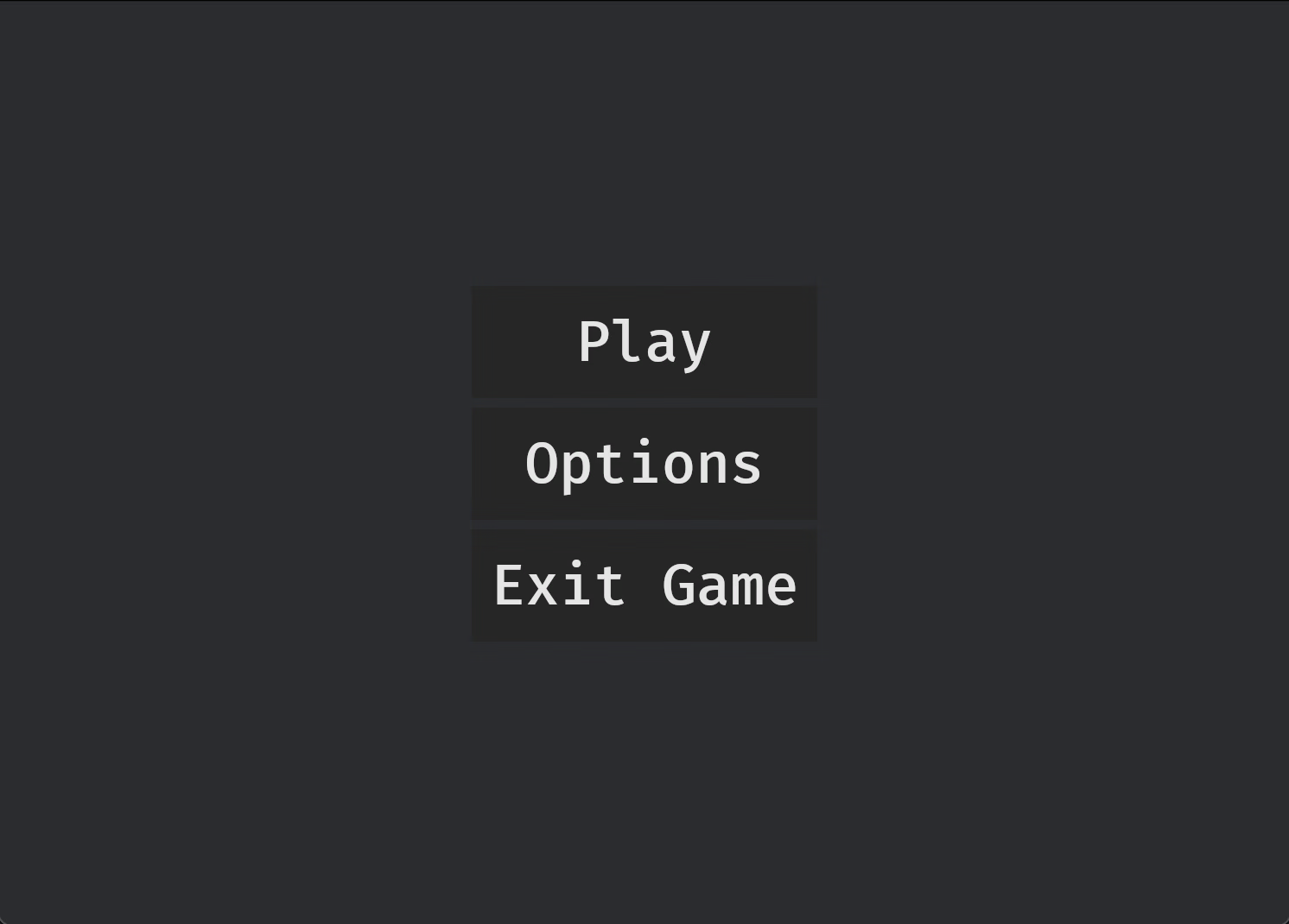
To that end, today I managed to make a simple menu. Not much but it's a start: